Guided setup
Provide your firm details, services and design choices through a structured setup process, then review the website privately before launch.
Websites for financial advisers
Build a financial adviser website that explains your services, introduces your team and gives prospective clients a clear way to contact you. Adviser Portals combines flexible website designs with managed content, straightforward editing, hosting and ongoing support for UK advice firms.
Standard non-partner prices: Mortgage/GI £59.50/month; Wealth £71.50/month. One-off setup £299.00. All prices exclude VAT.
Prefer a quick conversation first? Email Mark to arrange a call. Eligible network member discounts and any network approval requirements must be confirmed for your firm.
Compare VAT and first-year totals in our financial adviser website cost guide.

One managed platform
Your website should be easy to maintain, not another technical project. Adviser Portals gives adviser firms the tools and support needed to keep important information current.
Provide your firm details, services and design choices through a structured setup process, then review the website privately before launch.
Update pages, people, locations, services, reviews, media and website settings without needing to edit code.
Use an organised library of adviser-focused articles, calculators, forms and supporting content where appropriate for your firm.
Manage website disclosures and apply supported network wording through the same platform used to maintain the rest of the website.
Understand how visitors use the live website through first-party, cookieless website activity reporting.
Managed hosting, SSL, domain guidance and ongoing platform maintenance are included in the service.
Use your account to maintain the pages, people, services and business details visitors rely on. A private preview lets you review your firm’s branding and content before the public domain is connected.
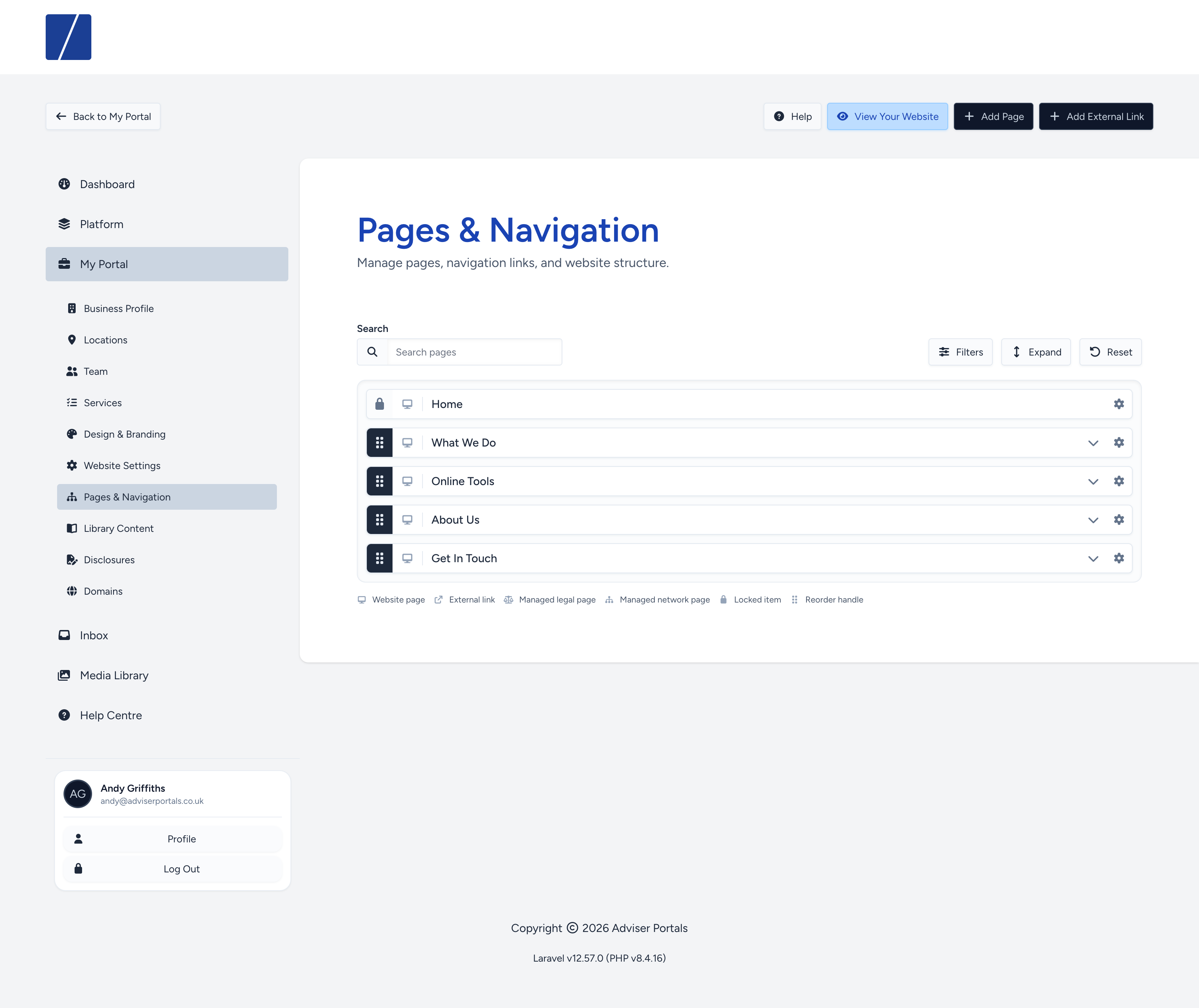
Explore the desktop and mobile website examples and see the page manager. These are product screenshots, so you can assess the platform before discussing your own site.
Design and content
Visitors need to understand who you help, what you offer and how to take the next step. Start with the pages that explain your firm, then choose the content and design that suit your audience.
Describe the advice your firm actually provides, introduce your advisers and show where you work. Wealth firms and mortgage advisers can choose relevant starting content and adapt it to their own business.
Choose a theme and personalise your logo, colours, imagery and page content. The website examples on this page show the type of layout available; your private preview lets you check your own version before launch.
Add contact details, enquiry forms and the disclosures relevant to your firm. Use the editor to keep business details current and review managed articles and calculators for your audience.
Part of a network? Explore websites for financial adviser networks and our website compliance management tools. Your firm remains responsible for its website content and any required approvals.
Focused on mortgages and protection? See our dedicated mortgage broker website design service for broker content, calculators and moving your existing site.
How it works
The process is structured so you always know what comes next, while retaining a private preview throughout setup.
Choose the website package that suits your advice firm.
Add your business information, services, branding and preferred website options.
Check the website and make changes through your Adviser Portals account.
Follow the supplied DNS instructions and the platform will prepare the secure live connection.
Questions
The platform supports financial advice, wealth and mortgage firms. Choose the relevant website route, describe only the services your firm provides and confirm any network content or approval requirements before launch.
Contact us with your current website address so we can assess the pages, images, domain and content that need to move. Keep your current hosting in place until the move and domain changes have been agreed.
Current standard setup and monthly prices are shown at the top of this page, excluding VAT. Hosting, SSL, editing tools and managed content form part of the website service. Eligible network pricing and any specific requirements should be confirmed for your firm.
You can connect your firm’s domain to the website. The setup process provides DNS guidance; agree the timing of a move before changing the records for an existing website.
Yes. Your Adviser Portals account includes tools for updating pages, team members, services, locations, reviews, media and other website settings.
Yes. A private preview is provided so the website can be checked and refined before its public domain is connected.
Yes. Managed hosting, SSL and ongoing platform maintenance form part of the website service.
Supported networks can use network workspace controls to manage shared content, disclosures and other available website tools. The exact setup depends on the network.
Create your account or talk to us about the right website route for your firm.