See the product
Financial adviser website examples and editor walkthrough
Take a closer look at the website layouts and editing tools before choosing a service. These are product examples and screenshots, not customer case studies or evidence of customer results.
Start with a layout, then make it your firm’s website
Choose a website theme and personalise the logo, colours, photographs and page content. Introduce your team, explain the advice your firm provides and give visitors clear contact routes. Review your own private preview before connecting the public domain.

Check the experience on mobile
Review headings, navigation, service information and enquiry routes on a small screen as well as desktop. Your own content and images affect the finished page, so both views matter during approval.
- Make the firm’s services and contact details easy to find.
- Use short, clear sections and useful photographs.
- Check forms, downloads and disclosures before launch.

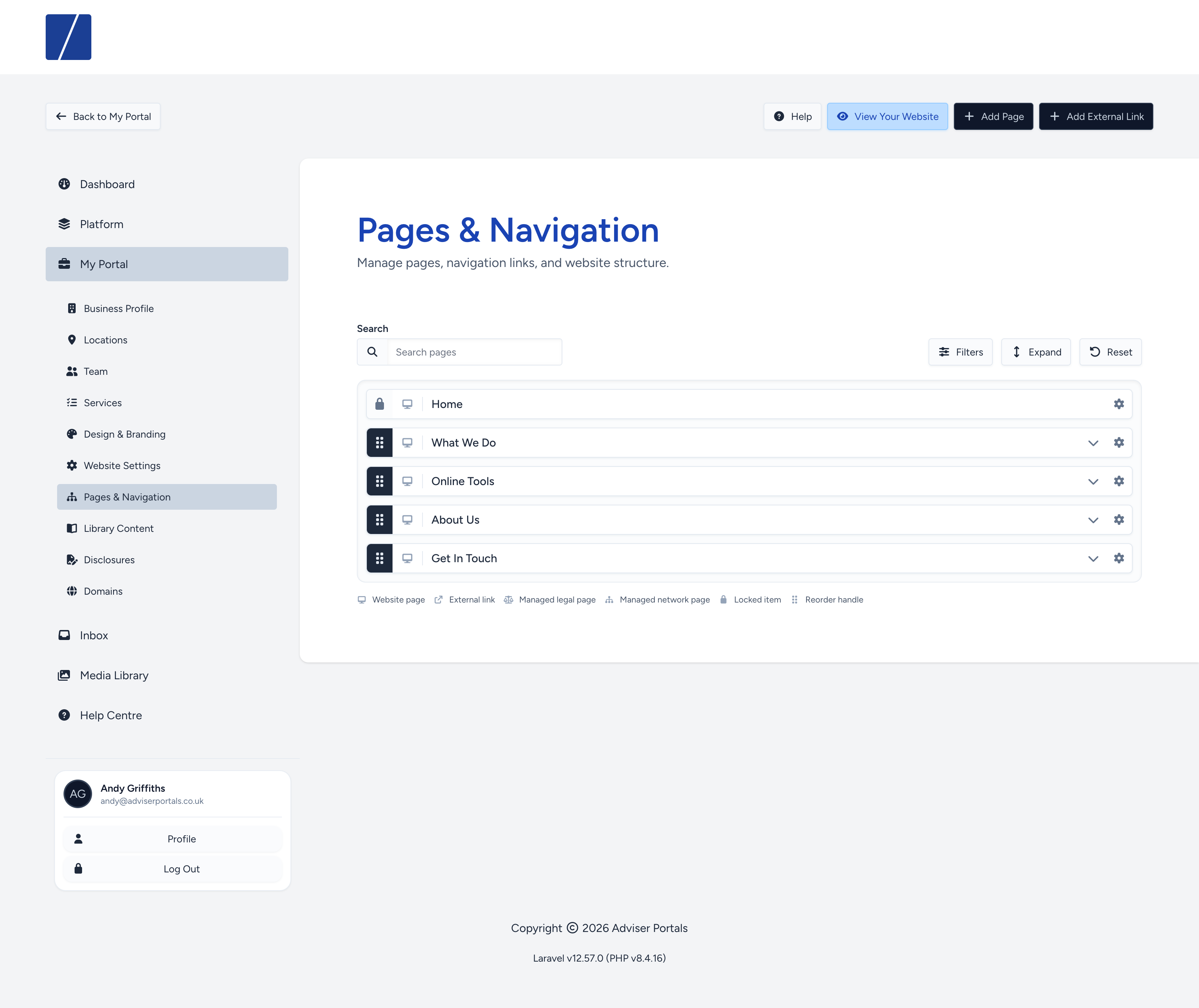
Manage pages and navigation in your account
The page manager lets your firm maintain its website structure and content without editing code. Use the account tools for pages, people, services, locations and media, within any controls set for your firm or network.
Keep business details current
Update the people, locations and contact details visitors use to understand your firm. Check changes in the preview before publication.
Use managed content where relevant
Select adviser articles, calculators and supporting material appropriate to your services. Confirm which content is available for your adviser type and network.
Agree the review process
Confirm who checks disclosures and approves changes. Where configured, network controls and review workflows support that process. Your firm retains responsibility for its content.
See how it could work for your firm
Ask Mark to talk through your current website, design requirements and editing needs. You can also explore the service and costs first.